API authentication
Authentication
The banks endpoint is completely free and requires no key. The account resolve endpoint requires an API key passed as a header.
GET /public/banks
No authentication required. Open to all.
POST /public/account/resolve
Requires a valid API key in the x-api-key header. Get your key from Integrations.
Passing the API key
mhk_. Generate or revoke yours from your Developer Dashboard. The key is shown only once when created.Step 1: Go to your Developer Dashboard
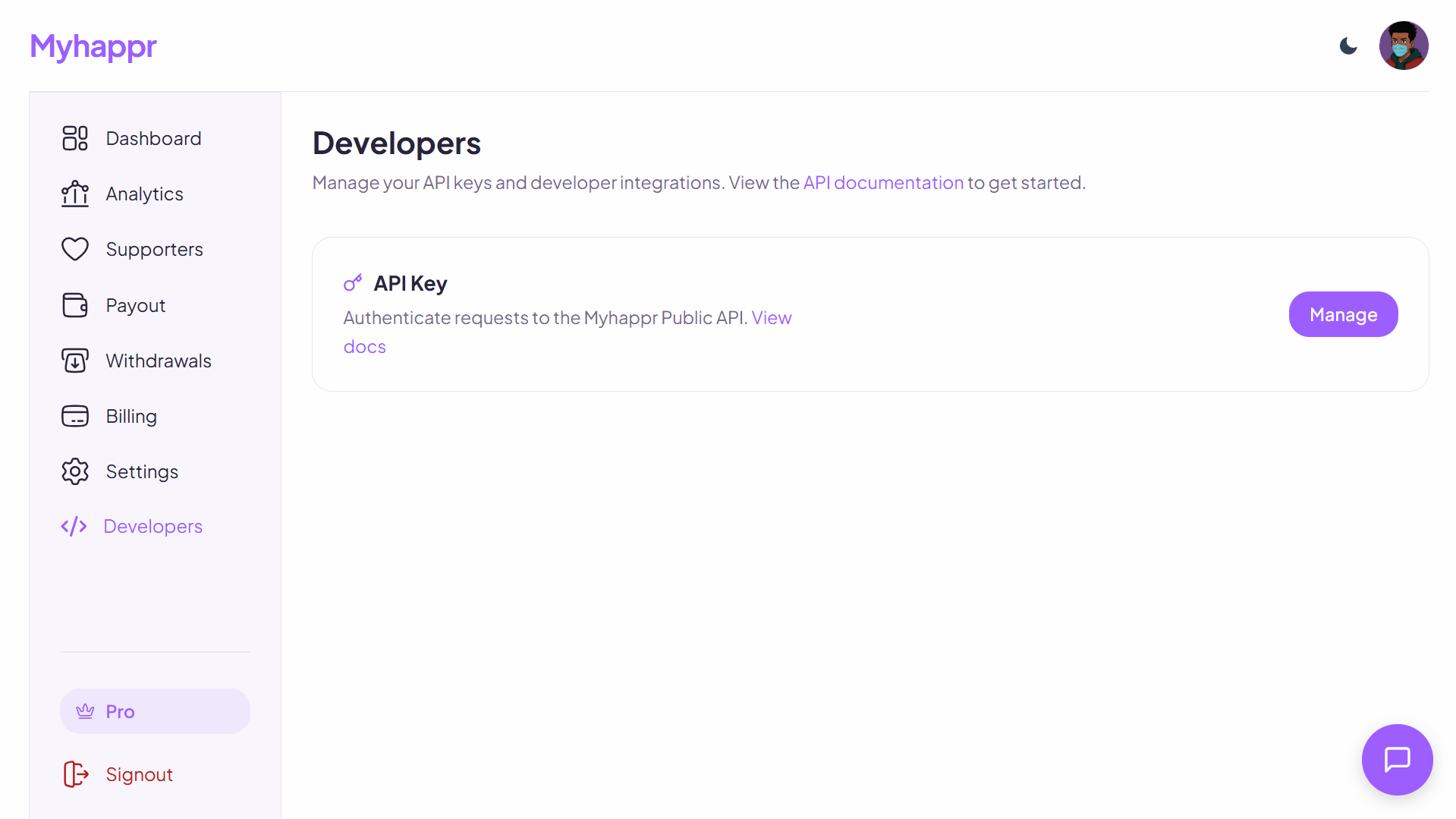
From your Myhappr dashboard, navigate to the Developers section in the sidebar. Click Manage on the API Key card to open the key manager.
Step 2: Generate your API key
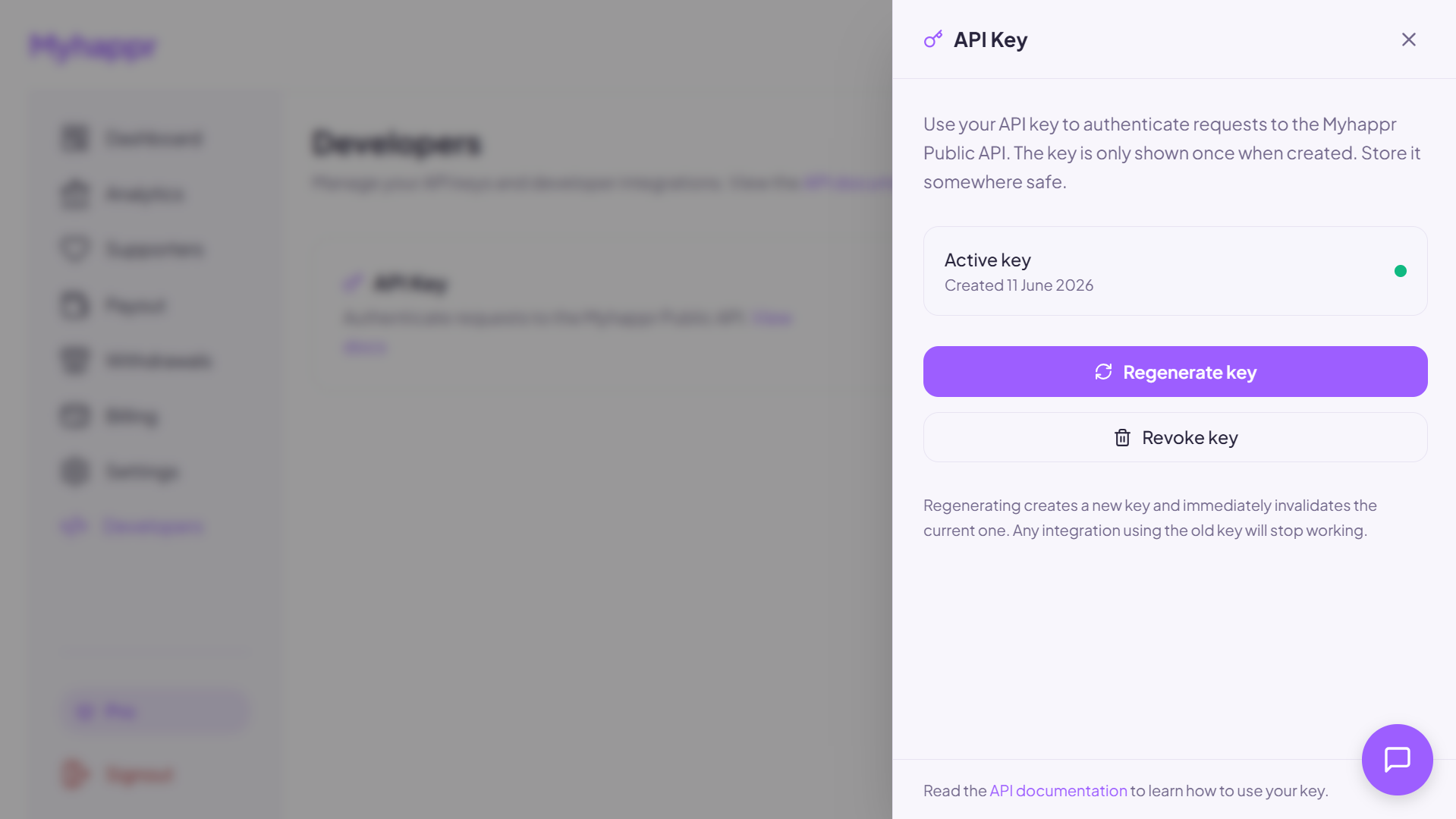
The API Key drawer shows your active key status. Click Regenerate key to create a new key, it will be displayed once only, so copy it immediately and store it somewhere safe (e.g. an environment variable). Clicking Revoke key permanently invalidates the current key.